Interdisziplinäres Selbstlern-Projekt: BITS in Motion – From Digital Illusion to Physical Reality - Perceptual Shift (Englisch)
| Site: | OpenMoodle der Universität Bielefeld |
| Course: | BITS SPACE - XR |
| Book: | Interdisziplinäres Selbstlern-Projekt: BITS in Motion – From Digital Illusion to Physical Reality - Perceptual Shift (Englisch) |
| Printed by: | Visiteur anonyme |
| Date: | Thursday, 22 October 2026, 12:12 PM |
Description
In this interdisciplinary mini-project, you will explore the intersection of 3D design, visual illusion, augmented reality, and animation by creating a perceptual-shift sculpture inspired by Michael Murphy’s Perceptual Shift.
1. Project Overview
Welcome to this interdisciplinary mini-project! This first page aims to tell you about the project and set expectations.
3D Design
Working with Blender, you can design a multi-layered version of the BITS logo, where separate icons (representing spaces like VR, Podcasting, 3D Printing, etc.) align into a coherent image when viewed from one precise angle. The project combines spatial planning, illusion techniques, and digital sculpting.
Once the digital model is completed, you can:
-
3D print the layered elements using filament-based printers
-
Create a physical display
-
Export the design for web-based Augmented Reality (AR) and host it online, accessible via QR code
-
Animate the sculpture using a stop-motion video (capturing assembly and viewpoint shift)
Learning Outcomes
-
Apply 3D modeling techniques in Blender, including extrusion, layering, and object alignment
-
Understand and implement the concept of perceptual shift / anamorphic illusion
-
Prepare a digital model for 3D printing
-
Publish an interactive WebAR experience viewable on mobile devices
-
Plan, shoot, and edit a basic stop-motion animation sequence
-
Communicate a technical-creative process through multimedia formats
Final Deliverables
-
Blender file (.blend) and printable STL models
-
Assembled 3D-printed sculpture
-
QR-enabled AR experience using model-viewer and hosted files
-
20 second stop-motion video showing the illusion in action
2. How it works
Why Your Eyes Are About to Play Tricks on You
Ever looked at a pile of random junk and suddenly BOOM it snaps into a perfect portrait? That mind-bend is the heart of perceptual-shift art.
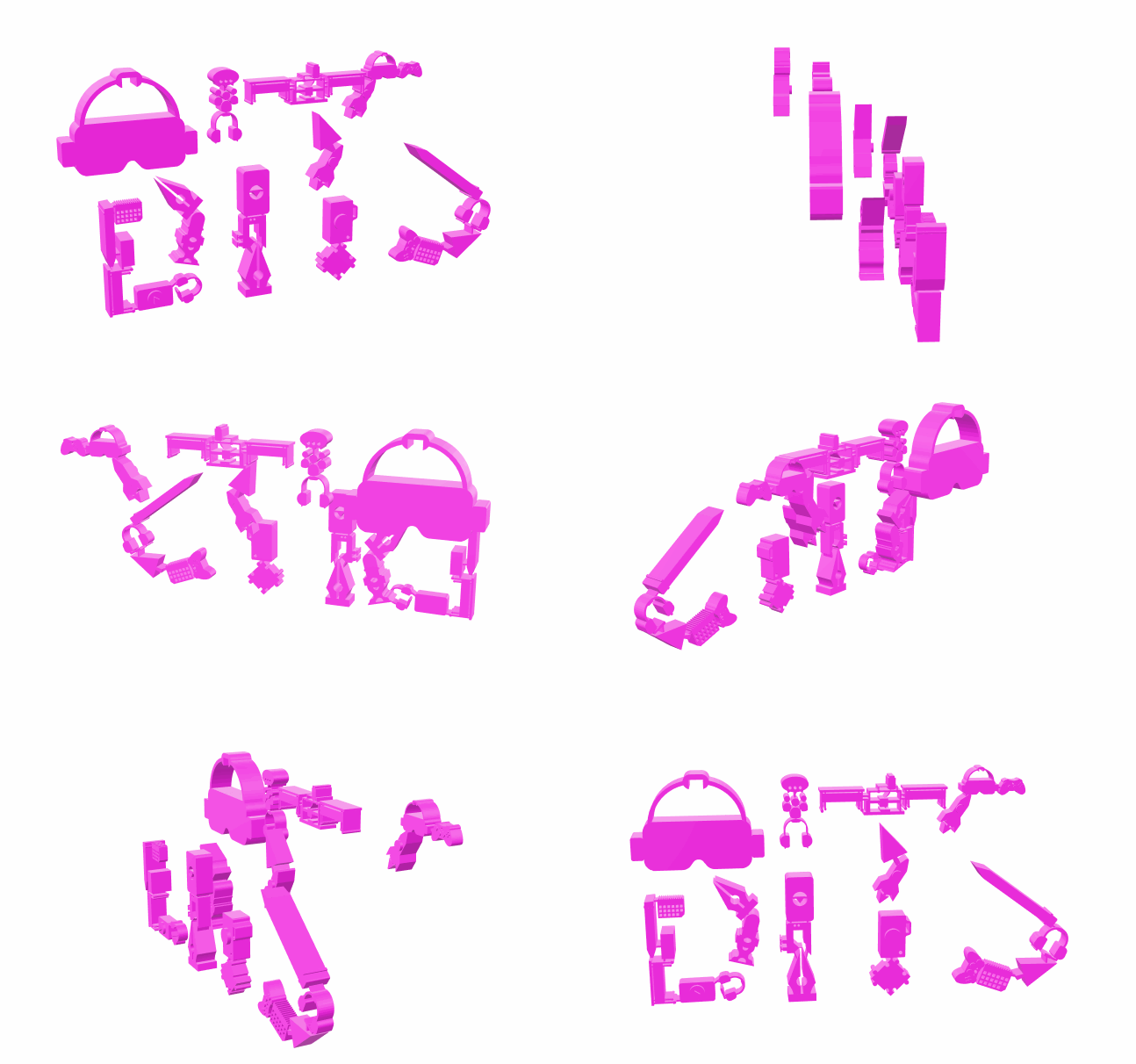
Below, you’ll see the stop-motion video of the designed BITS logo. You can also explore the AR 3D model example — just scan the AR QR!

How the Magic Works
From most angles: total chaos — floating shapes, household trinkets, blobs of color.
From one specific angle: Click! Everything lines up into a crystal-clear image — a face, a logo, you name it.
Artists use our brain’s love of patterns against us. They scatter parts in 3D space but define a secret vantage point where the puzzle suddenly resolves.
Two Masters of the Illusion
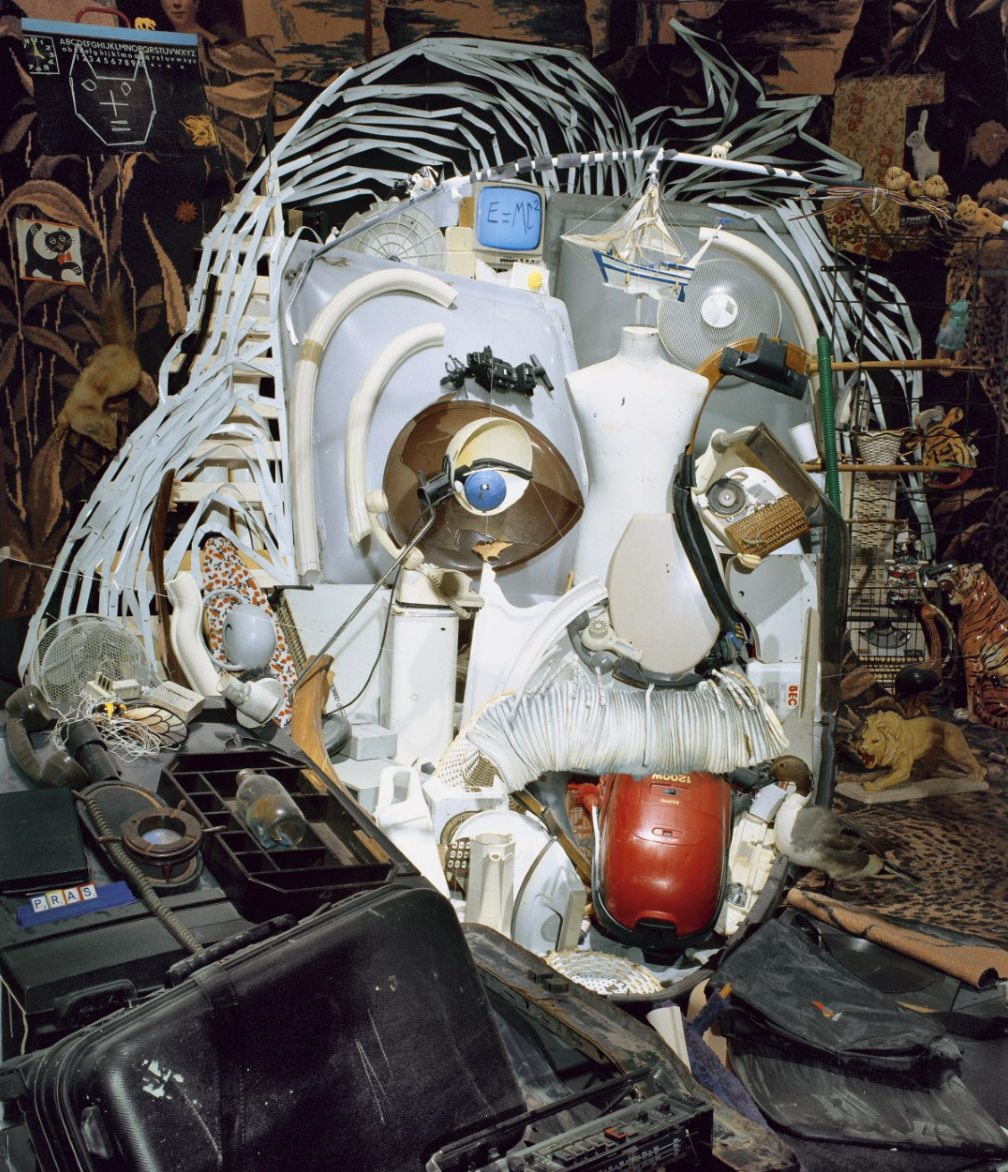
Bernard Pras
Builds portraits out of everyday objects like brooms, bottles or panels. What looks like a messy garage transforms into Albert Einstein when viewed from the right position.
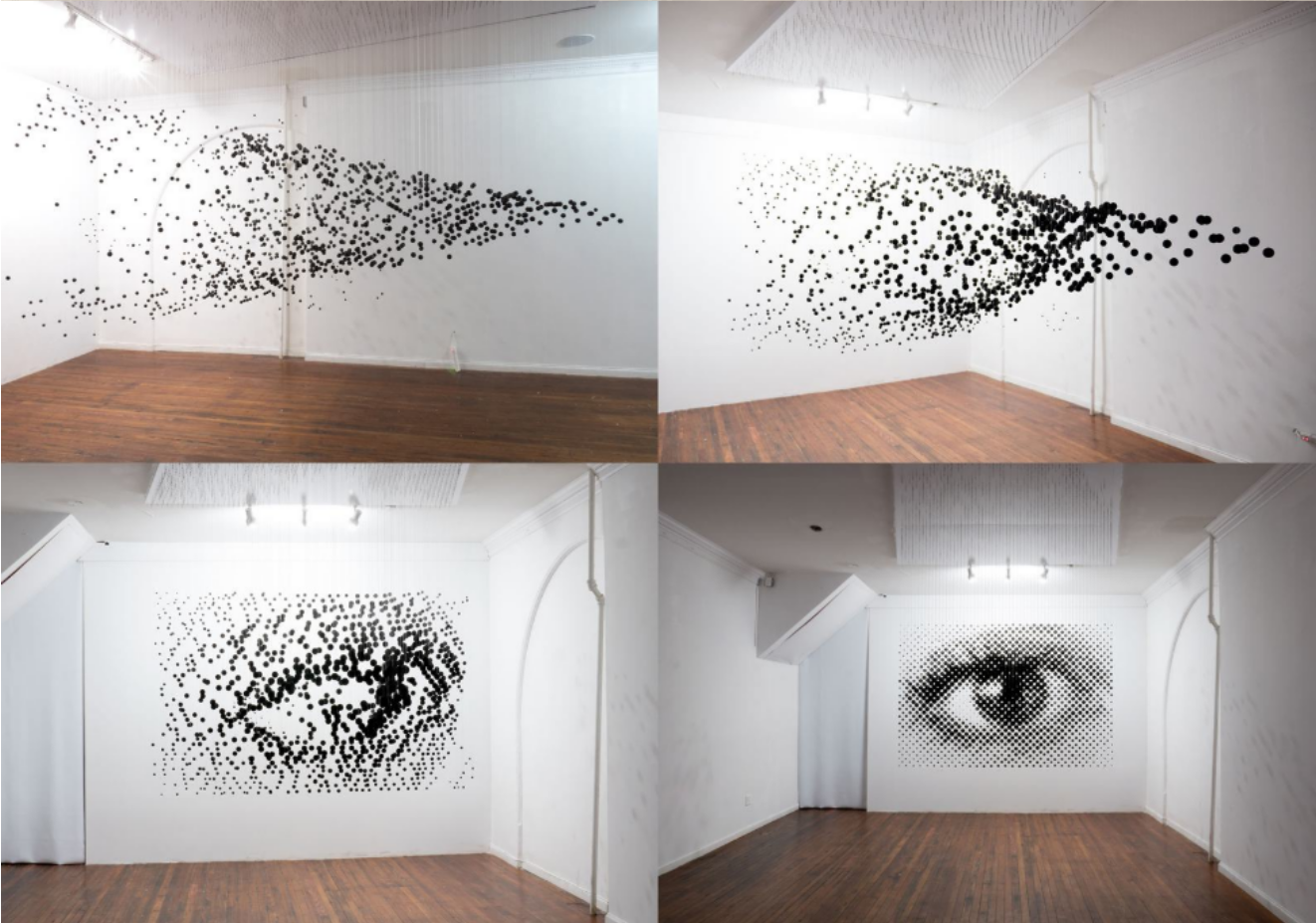
Michael Murphy
Suspends hundreds — sometimes over 1,200 — painted wooden spheres or panels. His piece Perceptual Shift looks like confetti frozen mid-explosion until you stand at the marked spot. Suddenly, a flawless eye appears in mid-air.
Why We Love It
Interactive: The artwork changes as you move.
Mind-bending: It reminds us that perspective shapes reality.
DIY-friendly: With tools like 3D printing (hello, BITS logo!), anyone can experiment with spatial illusion.
Next time you see a “random mess” in a gallery (or our vitrine), look for the perfect viewing spot. Your brain will have an aha! moment.
3. Step-by-Step
Let's start! This page shows you the steps you need to follow to get your own perceptual shift animation. See the PDF guides for the detailed instructions to follow.
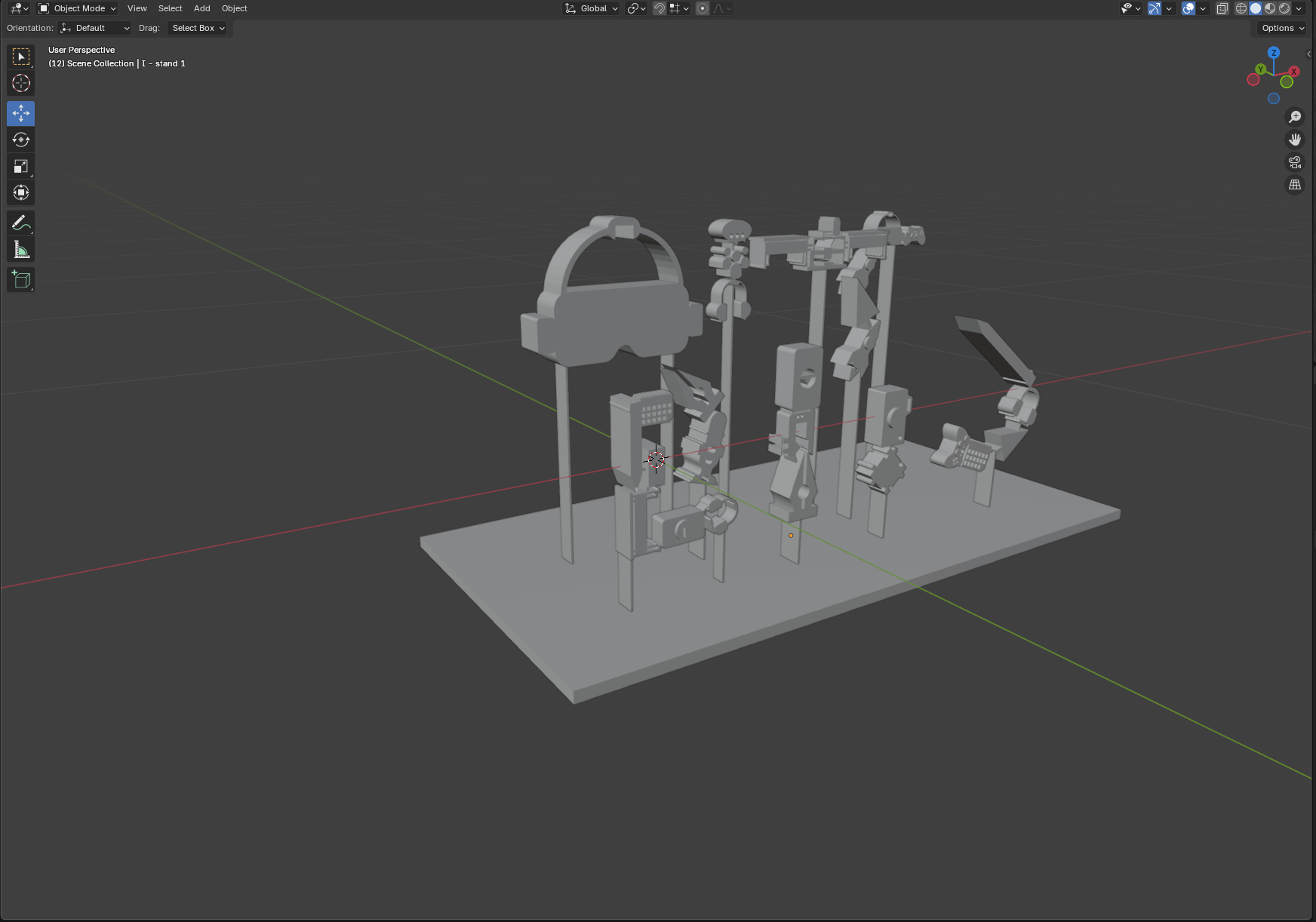
Apply 3D Modeling Techniques in Blender
- Use extrusion, layering, and object alignment
- Understand and implement perceptual shift / anamorphic illusion
- Prepare a model for 3D printing
- See Blender Modeling Guide (PDF)
Publish an Interactive WebAR Experience
- Create WebAR scenes viewable on mobile browsers without app installation
- See AR Modeling Guide (PDF)
Plan, Shoot, and Edit a Stop-Motion Animation
- Develop a basic stop-motion sequence using physical objects
- See Stop-motion Guide (PDF)
