Module 3: Introduction to 3D Modelling with Tinkercad
5. Exporting for Evaluation
Once a design is finalized and grouped, it must be exported for technical review.
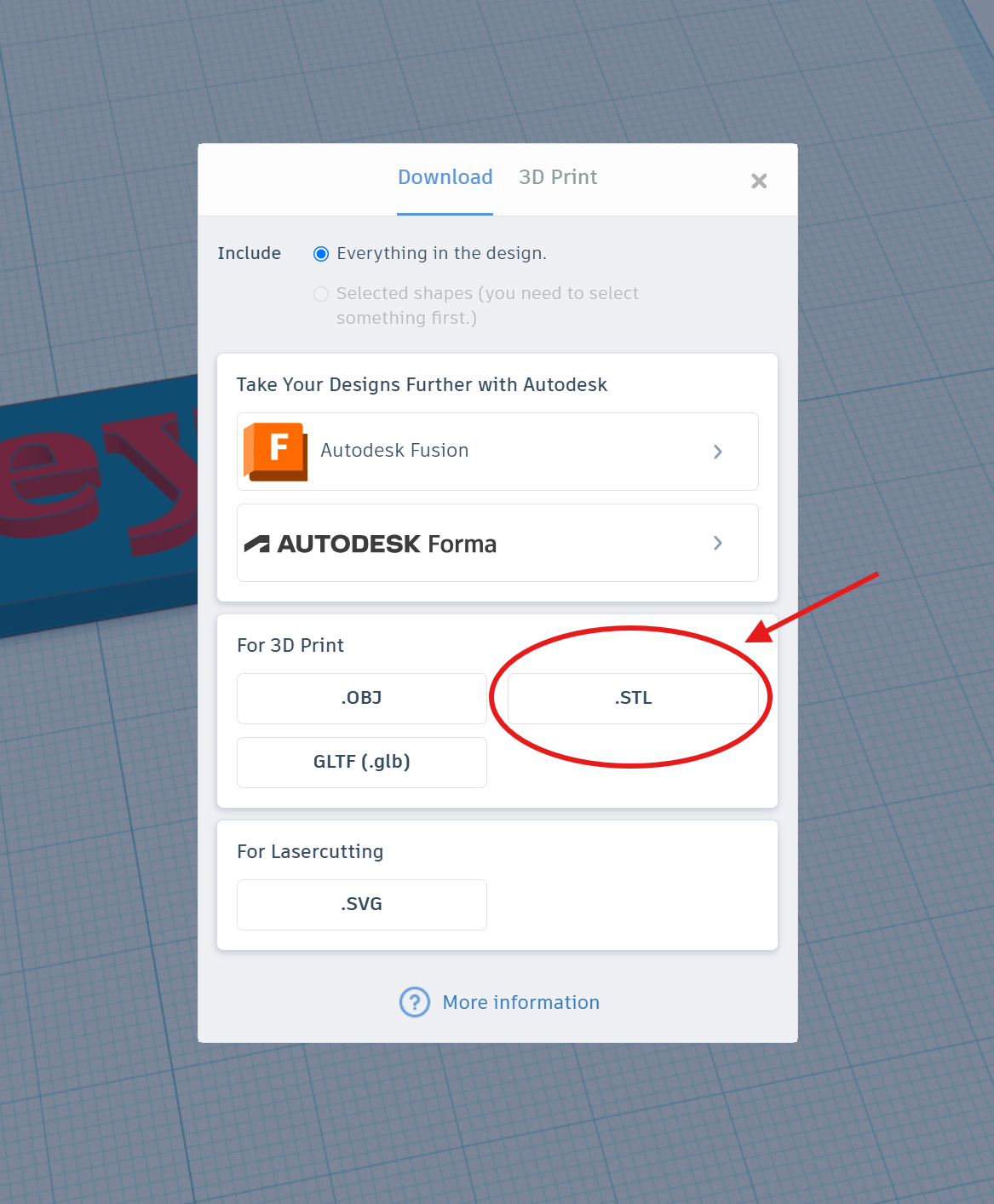
File Format: Models are exported as STL files.
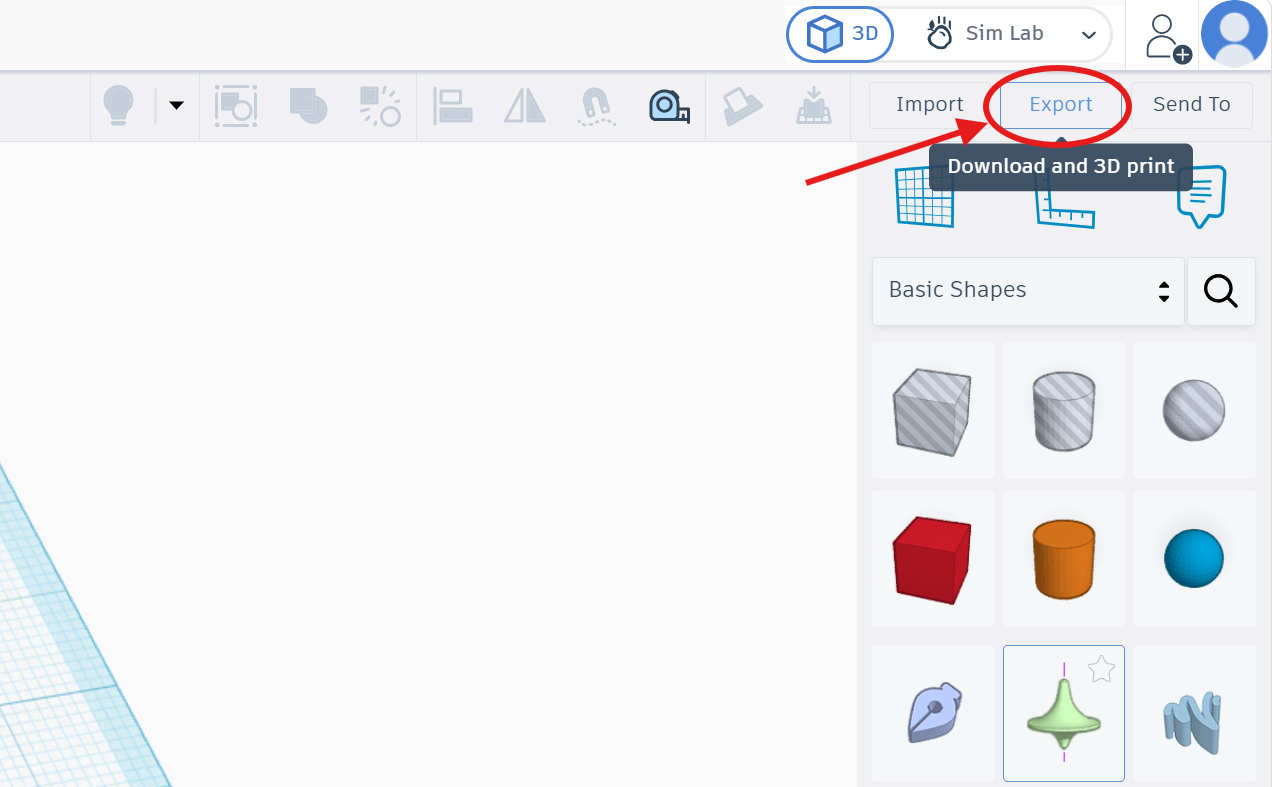
Procedure: The “Export” button is selected, followed by the “STL” option. This file is then used in the subsequent slicing stage to estimate print time and material usage.
Step 1: Click "Export" button located in top right corner.
Step 2: Click ".STL" format to export the design.
Export Steps. ⬇️
|
Export Steps |
|
|
Finish your design |
Make sure that your design is in final version. |
|
Open Export menu |
Click Export in the top-right toolbar of Tinkercad |
|
Choose format |
Select .STL (the standard 3D printing format) |
|
Save the file |
Your browser downloads a .stl file -- remember where it saves |