Module 4: Export and Slicing
3. Standard Slicing Parameters
To maintain consistency, specific default settings are utilized.
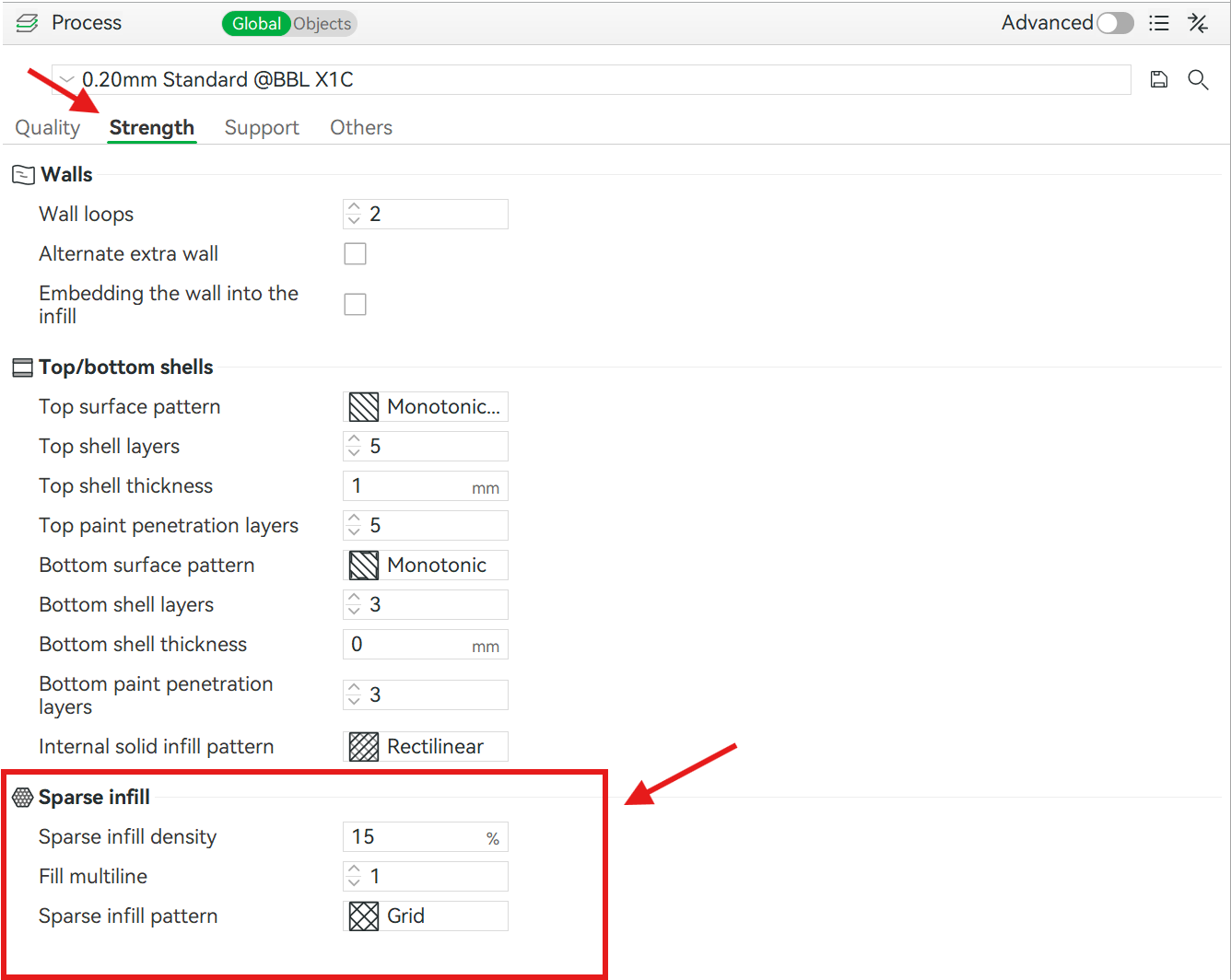
Layer height: This is set to 0.2 mm by default. This provides a balance between visual quality and printing speed.
Under the Quality tab located on left column of the screen, layer properties can be adjusted according to needs. ⬇️
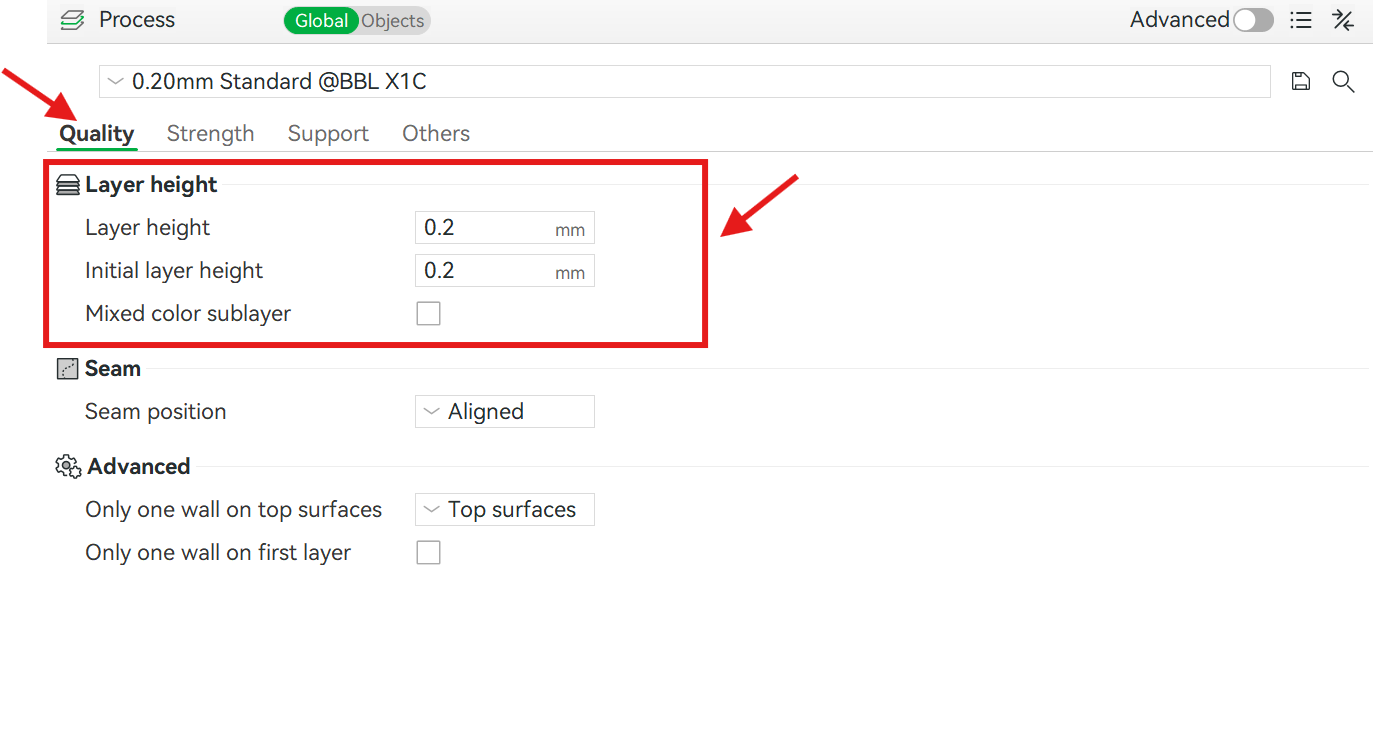
Infill Settings (Density & Patterns): For standard models, infill density is typically set between 15% and 20% to balance print speed and material usage.
Choosing the right pattern is key to performance: Gyroid is widely recommended for functional parts because it provides equal, omnidirectional strength and a high strength-to-weight ratio, while patterns like Grid or Cubic are ideal for rapid prototyping where printing speed is prioritized.
For parts subjected to heavy mechanical loads or requiring high durability, increase the infill density to 40%+ or add extra perimeter wall loops.
Under the Strength tab located on left column, infill density and pattern can be adjusted. ⬇️