Module 4: Export and Slicing
7. Exporting the Sliced Files
Once you have verified the slice preview and confirmed no errors or unsupported islands exist:
- Locate the green Print Plate button in the top-right corner of Bambu Studio.
- Click the drop-down arrow next to Print Plate.
- Select Export sliced file (or Export G-code/3MF for SD card).
- Save the generated .gcode / .gcode.3mf file to your USB drive or SD card to load directly onto the machine.
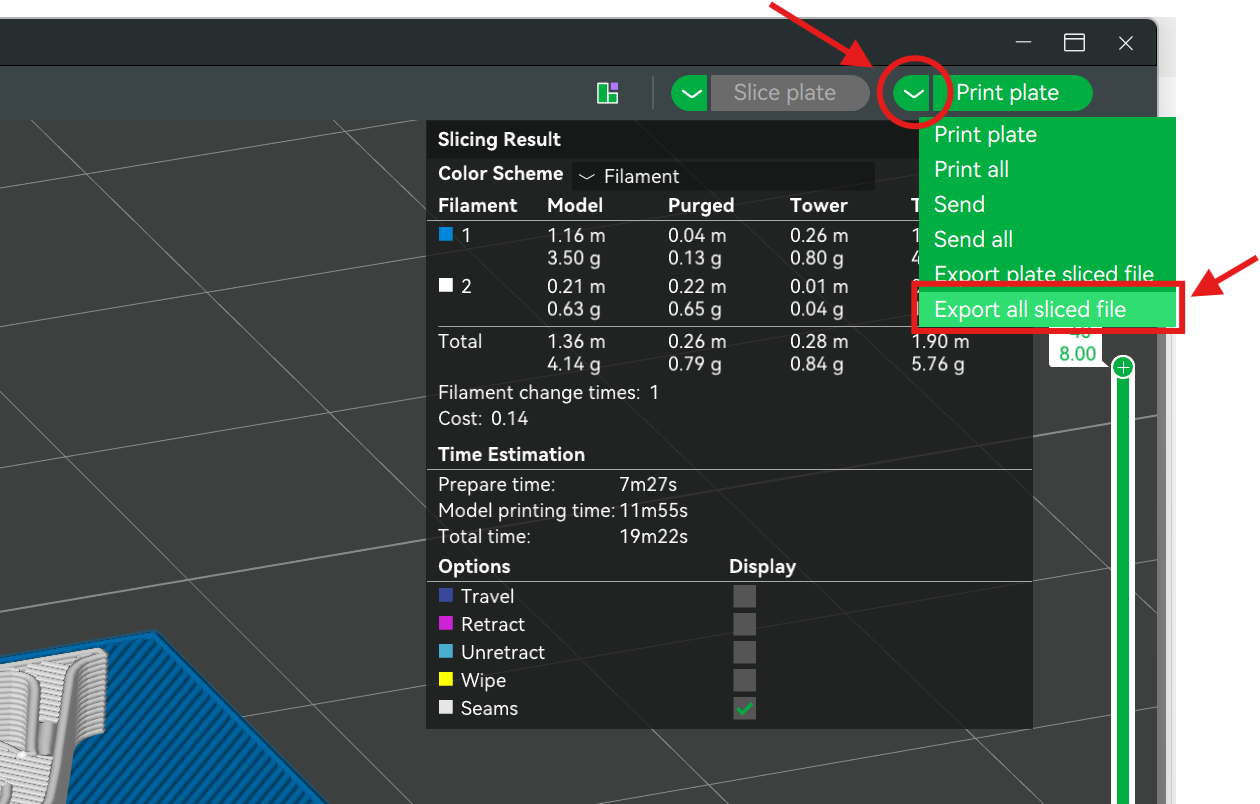
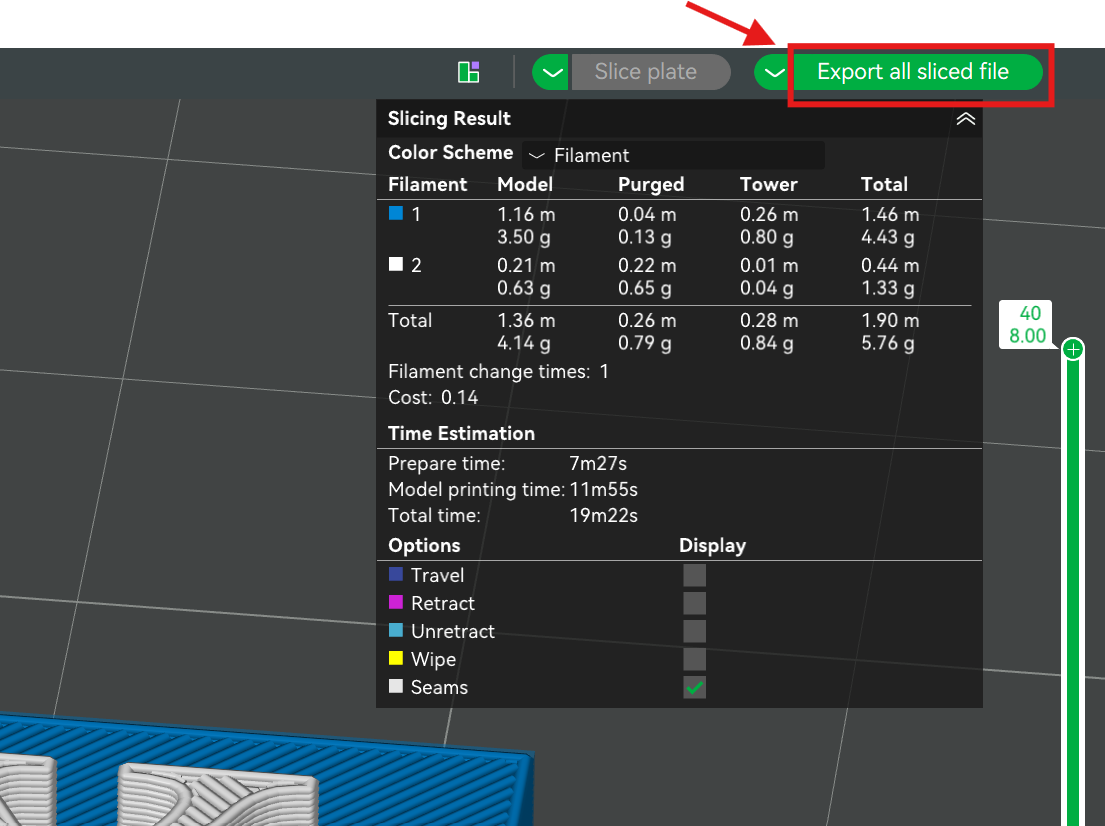
After selecting "Export all sliced file", click the button to export the file.